For your own channel
You stream.
We make the clips.
LucFlow turns your streams into shorts-ready clips automatically — highlights, subtitles, vertical format. From €29 a month, billed in hours of source material per week. Your first stream is free: one VOD up to 6 hours, no credit card, no watermark.
Twitch and Kick VODs · YouTube · your own recordings
What's inside
Your editor, just automatic.
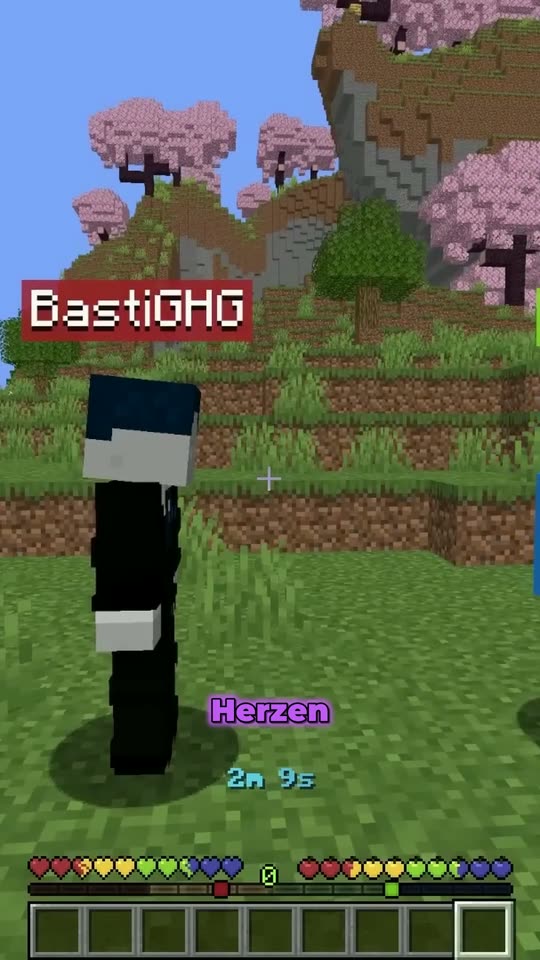
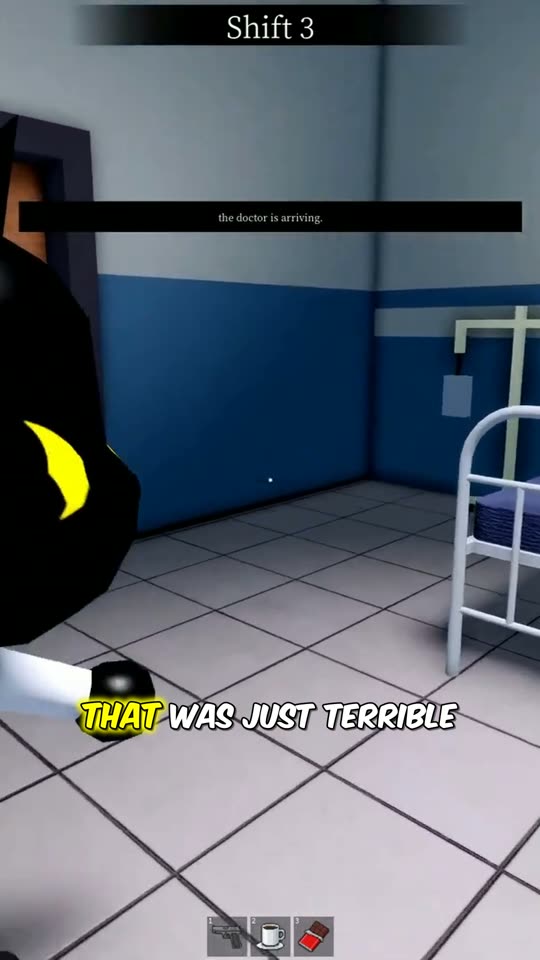
Everything here runs in the studio today — none of it is a roadmap. The clips in the previews are real LucFlow renders, with the subtitles the pipeline burns in today.
Facecam on top, game below. On its own.
LucFlow detects a fixed corner facecam in the stream image and builds the vertical format from it: the cam as its own panel on top, the gameplay underneath — without you marking anything. If it can't find a reliable tile, the picture stays whole; full-screen beats a wrong cut. Pure gameplay stays full-screen; Just Chatting and IRL put the speaker in focus. You pick the mode, or let LucFlow detect what's running.
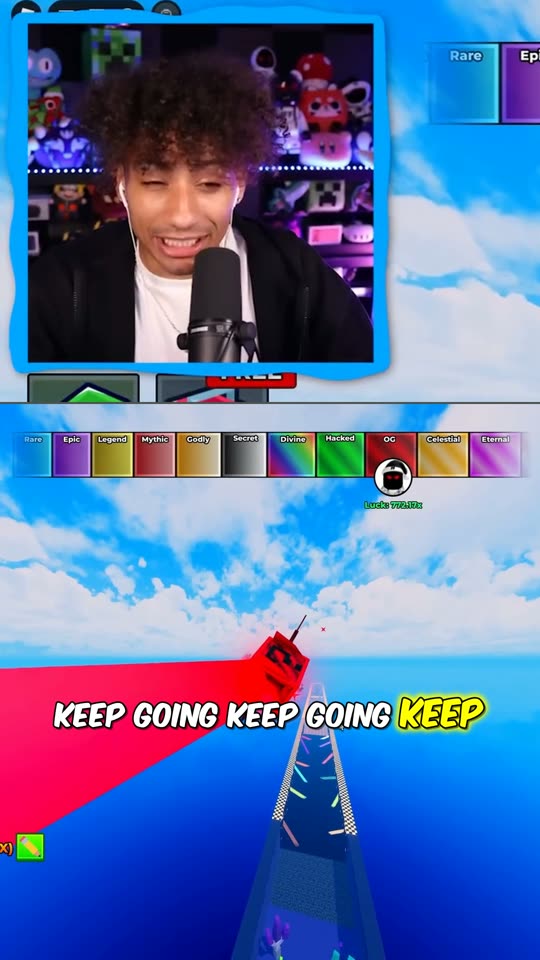

Detected: facecam in the corner → cam on top, game below.
One clip. Every platform.
Connect your channels once — YouTube Shorts, TikTok, Instagram Reels and 9 more. From then on every clip goes there straight from LucFlow, at the time you pick in the calendar, and you choose per clip where it appears. On Stream Unlimited the distributor can mirror for you: whatever you publish on one account goes to the other connected ones automatically.
Stream's over. Clips are waiting.
From Stream M up, LucFlow watches your Twitch or YouTube channel: new VOD, new clips — without you pasting a link. What goes out is your call: approve, schedule or discard.
Your week, planned ahead.
Put clips on the calendar at the time you want, in bulk for several days if you like — you decide what goes live. Afterwards the performance overview shows how your clips did on YouTube.
Re-cut in the browser.
Trim the start, cut a stretch out of the middle, strike a word from the transcript, switch style or format — LucFlow renders the clip again. No new job, no editing software. Not yet available for saver-mode projects.
The whole weekend at once.
Three VODs or an entire playlist: everything into the queue, LucFlow works through it one by one. The finished clips land in the same project feed.
And also
- Word-by-word subtitles, burned in, in your style
- 60 fps when your footage allows it
- AI title and caption for every clip
- Headline inside the clip — AI title or your own text
- 9:16, 1:1 and 16:9
- Almost any language, no setting needed
- Score per clip — strongest first
- Twitch or YouTube login as channel proof
- Saver mode: only marked sections count against the week
- 4K exportStream Unlimited
- Recut: two or three variants from one clip
- Distributor: one post, all connected accountsStream Unlimited
- Insights API (beta)Stream Unlimited
1 stream
free to start: one VOD up to 6 hours, no card, no watermark
from €29
per month, cancelable monthly
from 8 hrs
of source material per week — Unlimited has no cap
Plans
Three tiers, counted in hours.
A streamer knows their own usage as “four hours, four times a week”, not as a credit number. So every plan says how many hours of source material fit into a calendar week. They're meant for your own channel.
First stream free
Before you pick a plan, you see the result on your own material: create an account, drop a VOD into the studio, done. Your first stream up to 6 hours runs without credits, without a credit card and without a watermark. Once per account; the length has to be determinable, which works for Twitch VODs, YouTube videos and your own recordings. If processing fails on our side, the attempt doesn't count. After your first stream there is no further trial: a plan starts normally with the purchase and is cancelable monthly. After a cancellation your account continues on the free plan. Why just one stream: we render on our own hardware, and a free week without a card is otherwise farmed quickly.
Stream S
€29per month
8 hrs of source video per week
around 35 hrs a month
For two or three streams a week.
- Your own channel only
- Brand kit, subtitles, saver mode
- No watermark in the clip
- Scheduling, calendar, performance overview
Stream M
€39per month
20 hrs of source video per week
around 87 hrs a month
For streaming daily — Autopilot picks up the VODs itself.
- Everything in Stream S
- Autopilot: new streams and videos are detected and prepared automatically
- You decide what actually gets published
Stream Unlimited
€79per month
No weekly cap
Your whole channel, as much as you stream.
For long days and everything you put out.
- Everything in Stream M
- 4K export and priority queue
- Recut and clip download
- Insights API (beta), your own Google credentials
- Early access to new features
Weekly hours, no carryover
Unused hours expire with the calendar week; the counter restarts on Monday. The reason belongs here, not in the fine print: we render on our own hardware, not in the cloud. A monthly pot could be saved up for four weeks and thrown into the pipeline in a single evening — exactly the load spike the weekly cap exists for. In exchange, the number on the card is real and doesn't need a fair-use clause later.
Your own channel only
The streamer plans are meant for material from your own channel: your Twitch or Kick VODs, your YouTube videos, your recordings. We don't ask for proof, we trust you. Should that ever change, you'll hear about it first. If you clip other people's material, the clipper plans are the right place.
How to start
Three steps, no card.
01
Create an account
Two minutes, no payment details. After that you'll find the plans here and in your account.
02
Drop in your first stream
A Twitch VOD, a YouTube link or your own recording into the studio, up to 6 hours. The first one runs free and without a watermark. No proof, no extra login.
03
Start a plan
If the result fits, pick a tier and book it in checkout, cancelable monthly. From Stream M up, Autopilot can watch your channel for you. What gets published is your call.
After your first stream there is no further trial: a plan starts normally with the purchase and is cancelable monthly. After a cancellation your account continues on the free plan.
This is where the badge sits: small, at the left edge, drifting between top and middle — never over the subtitles.
Partner program
Free still exists —
but it's limited.
Alongside the plans, our partner program continues: selected channels use LucFlow for free, and in return our lucflow.de badge runs in their clips. That is deliberately not the standard offer but the exception — we run the render pipeline on our own hardware and only take on as many partners as it can handle reliably. The regular route is a plan above.
What you get
Full LucFlow access, free while the partnership runs — including Autopilot, brand kit, scheduling and 400 minutes of source video per month. Long VODs are billed on a sliding scale, so a four-hour stream costs less than its minute count. Upload the finished clips wherever you like.
What we get
The animated badge at the left edge of your clips. Mentions or shoutouts only if we agree on them together — none of it is required to start. And honest feedback, because you actually use the tool.
Anyone who is a partner today stays one on the terms they were promised. The new plan track changes nothing about that — and nothing about applications already sitting with us.
Cancel anytime, informally, from either side — a real collaboration, not a subscription trick.
Apply as a partnerApply
Tell us
what you stream.
The form is the application for the partner program. You don't need to apply for the free first stream — every account created through this page gets it automatically. Follower count isn't a hard cutoff, regular stream output matters more. We review every channel personally and reply within a few days, acceptance or rejection.
Questions first? Ask on our Discord.
Honest answers